
We've updated our archive to an improved version, Docue Drive. This new version of the archive includes many features requested by our users!
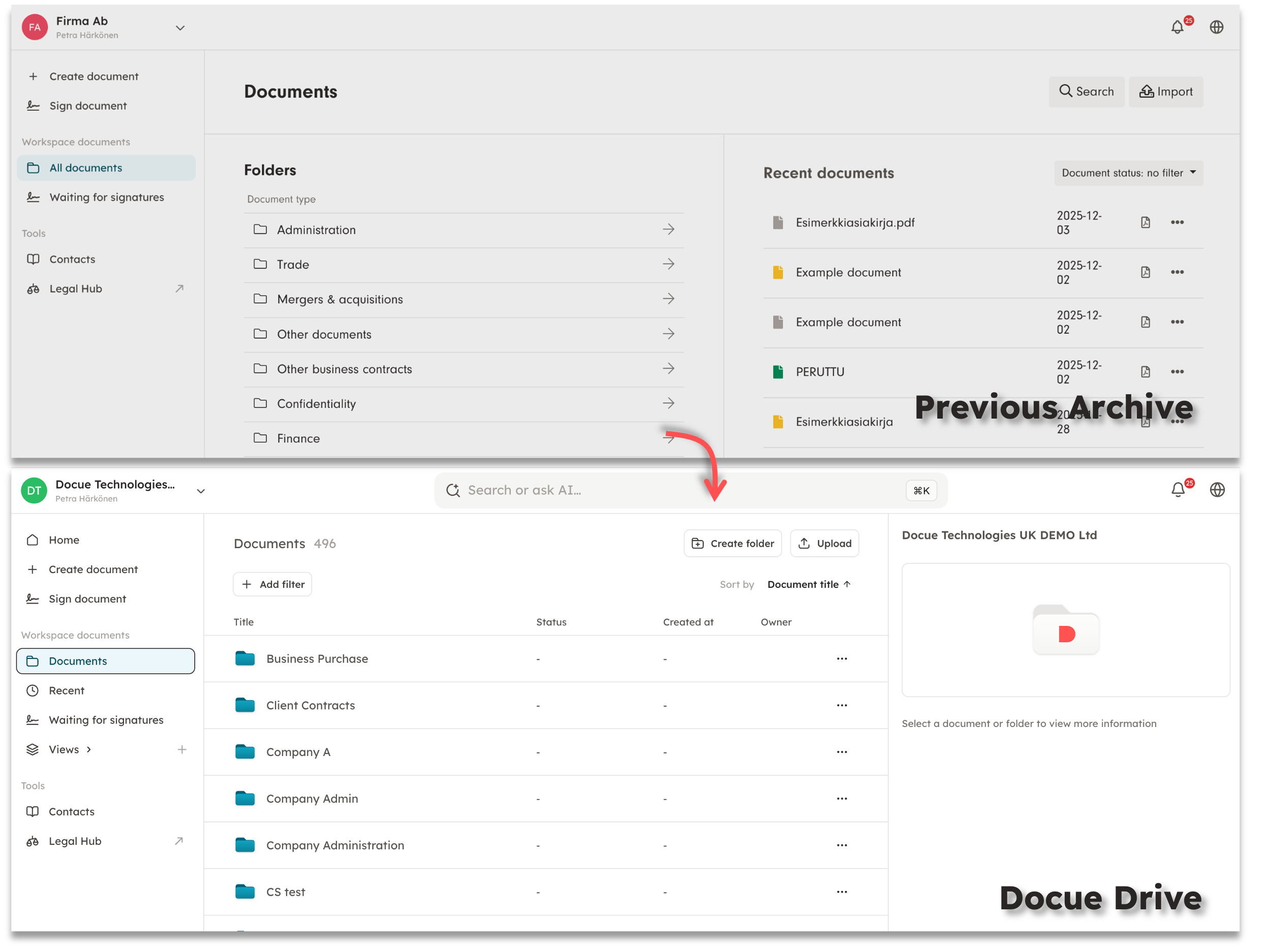
After the migration to Docue Drive:
-
The appearance of previous functionalities may have slightly changed.
-
Completely new features have been introduced to the service.
Let's begin a more detailed walkthrough. You can jump directly to a specific section using the table of contents below:
Table of Contents:-
Where can I find the legacy archive functionalities?
-
What are the new features of Docue Drive?
-
Multi-selection tool – batch transfer and deletion of documents
Where can I find the legacy archive functionalities?
"All documents" view
-
All documents ➡️ Documents
-
Recent documents ➡️ Recent
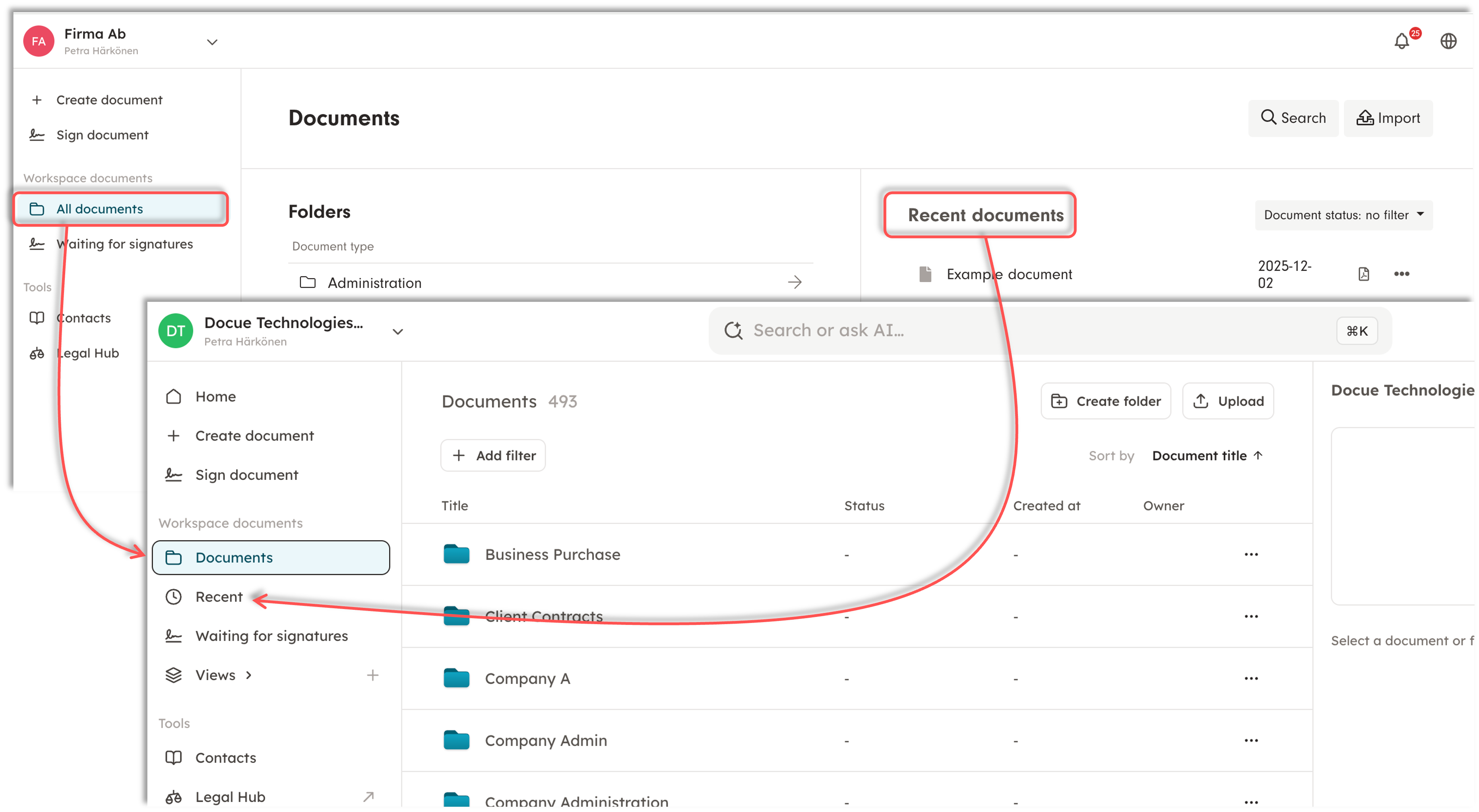
All documents drafted or signed on the Docue account are saved under the "Documents" menu in Docue Drive. The side menu also includes the "Recent" section, where you can view the most recent documents drafted on the account.
Folder groups and folders ➡️ Folders and subfolders
During the Docue Drive migration, the folder groups on the workspace become the workspace's folders, and the folders that were previously within the folder groups become subfolders under these.
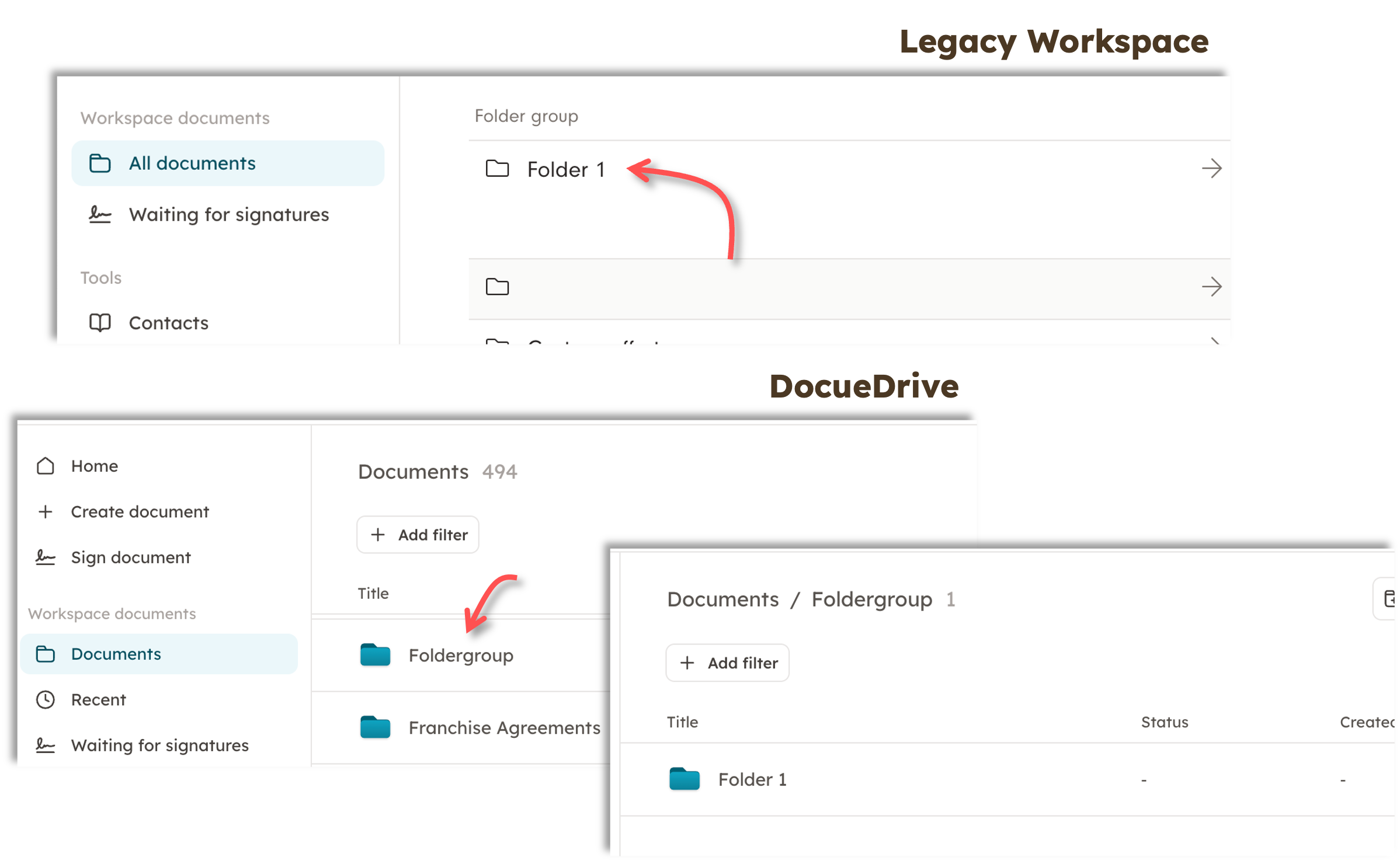
By clicking to open a folder in Docue Drive, you will see the subfolders it contains, and by clicking a subfolder, you will see its internal folders and documents, if any. The folder structure can therefore be extended very deeply using subfolders in Docue Drive.
Document type-folders
When the workspace is updated to Docue Drive, the folder groups "Document type" will no longer be folders, but "Properties".
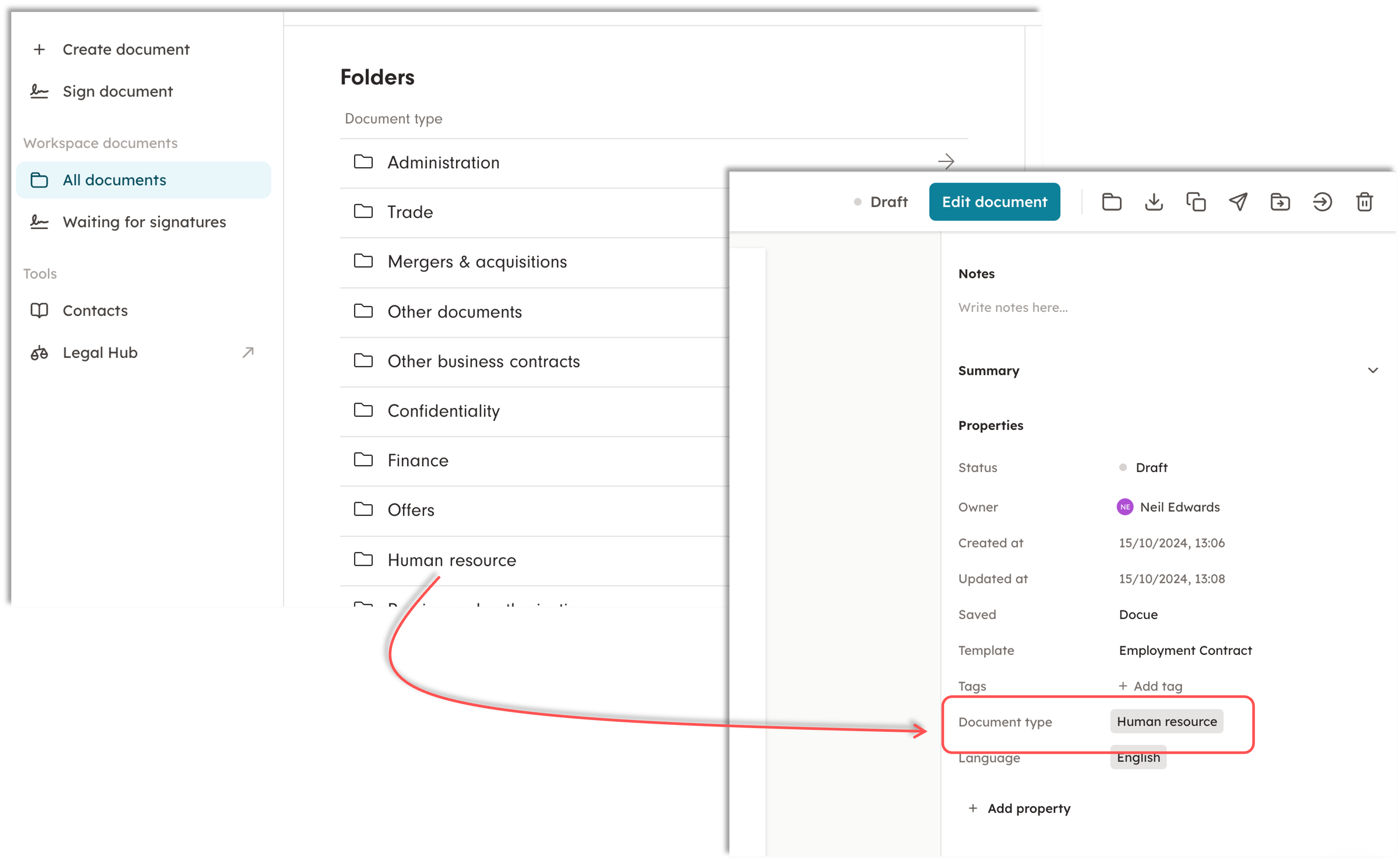
If you have been using the Document-type folders, the folders will either be in other folders they previously were in, or as separate documents on the workspace.
You can use filters in the new Docue Drive, so you can still filter all the documents based on their document type.
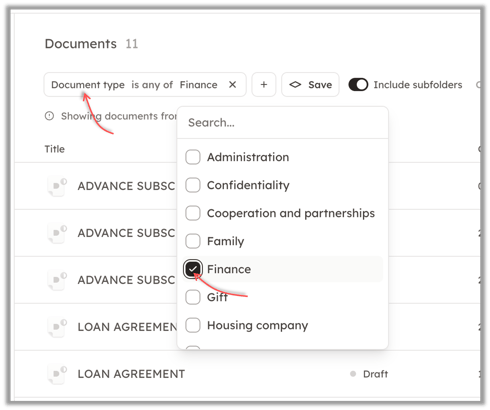
In addition, you can of course create new folders for the different document types, if you wish to continue using the same logic on the workspace.
PDF-preview
When you open a document, the PDF-preview has been updated. However, the familiar functionalities can still be found in Docue Drive.
Document's information:
The document's information is located on the right side of the PDF file in Docue Drive. Here you will find the familiar information about the document (status, date, name), the document creator ("Owner"), and signature-related information.
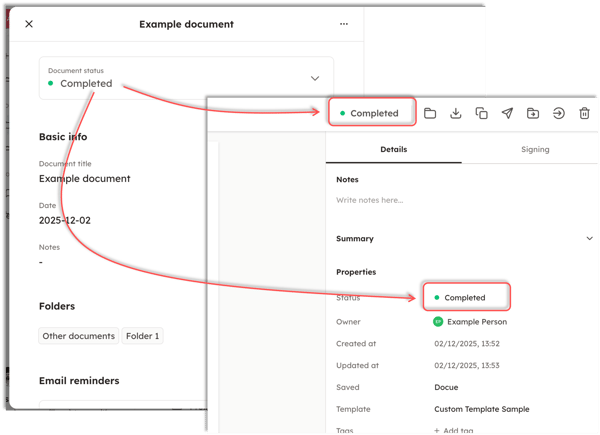
The document status is visible in two places: the top bar and "Properties."
Signature information:
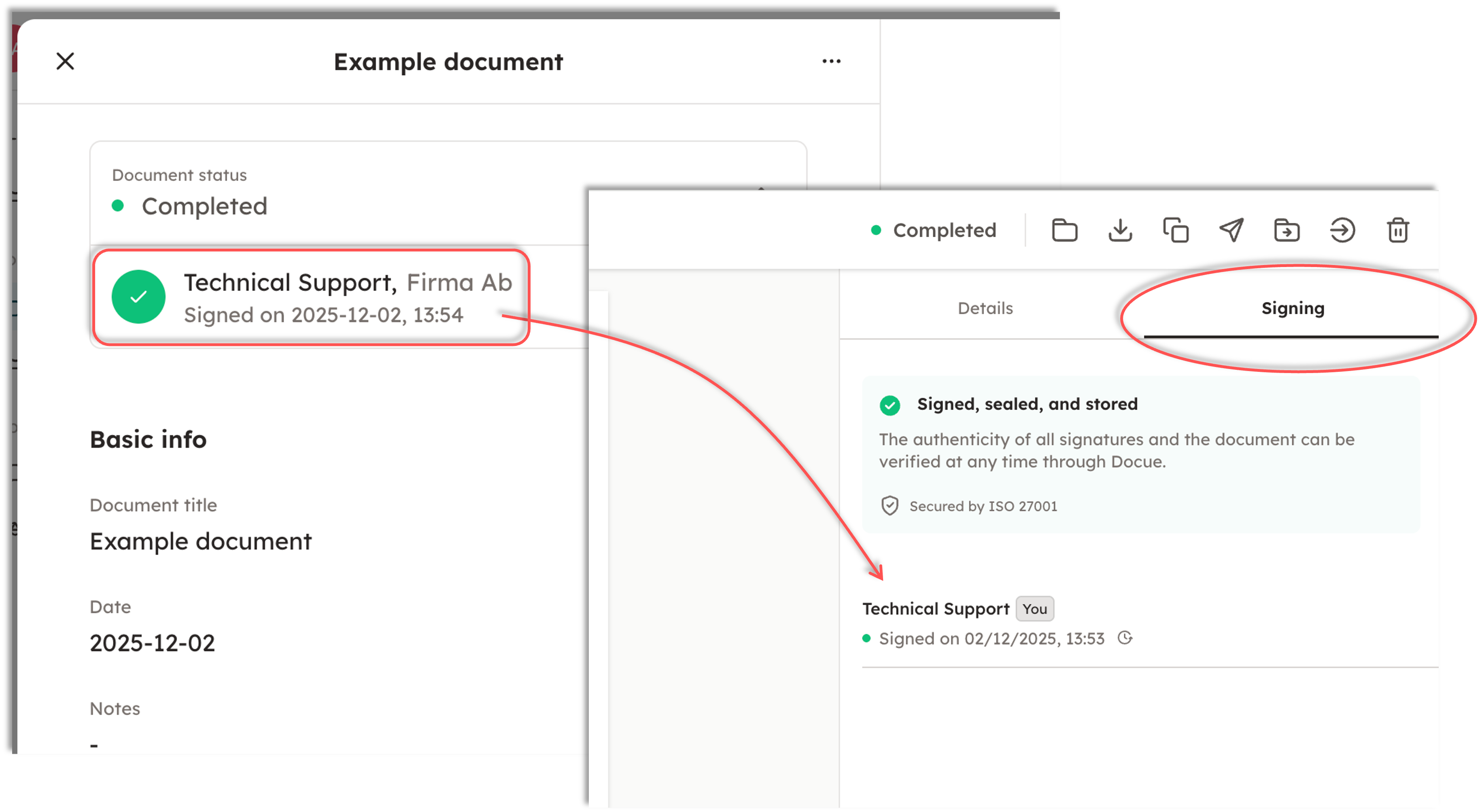
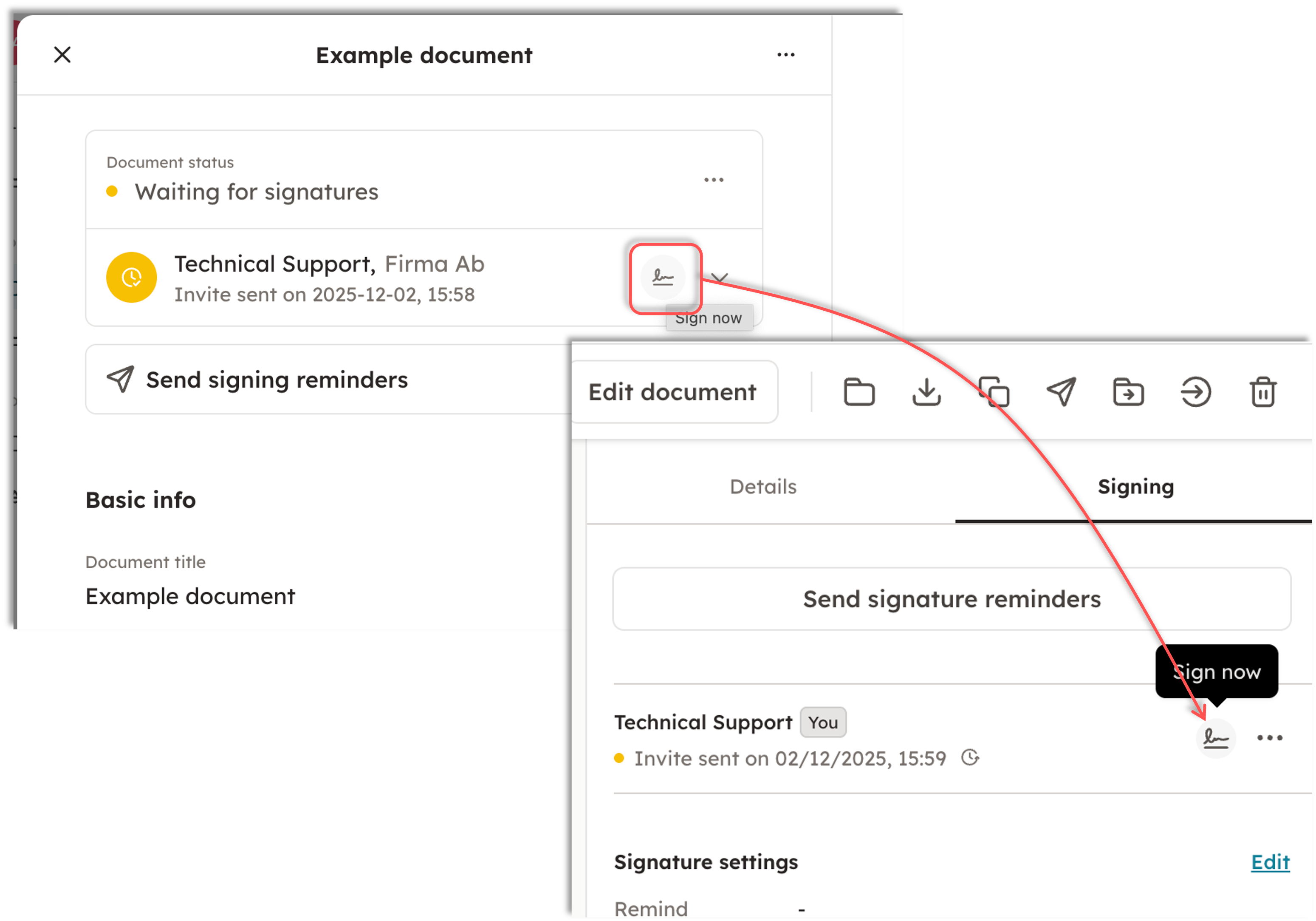
In Docue Drive, the signatory information is found on the right side of the PDF view under "Signing." From this view, you can check when the parties have signed, send signature reminders, and sign the document yourself, if you are a party to it.
Your saved signature sample works equally well within Docue Drive.
Document duplication:
In Docue Drive, a document can be duplicated under "Copy as a new draft." This is found in the top bar when you open the document.
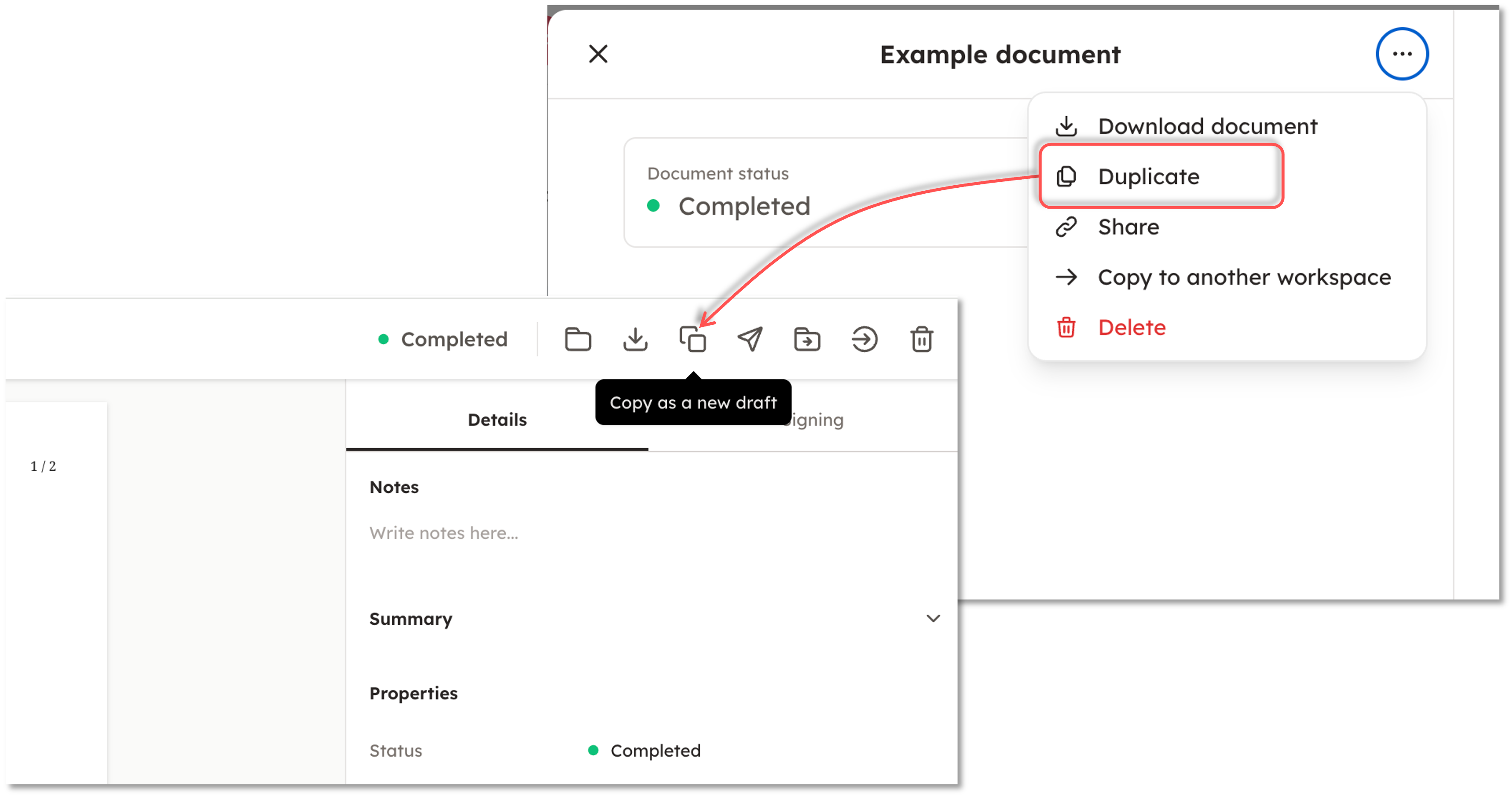
When you copy a document in Docue Drive, the copy's name automatically ends with (copy). This can, of course, be changed when naming the document.
Setting reminders:
In Docue Drive, reminders can be set within the document information, under "Permissions".
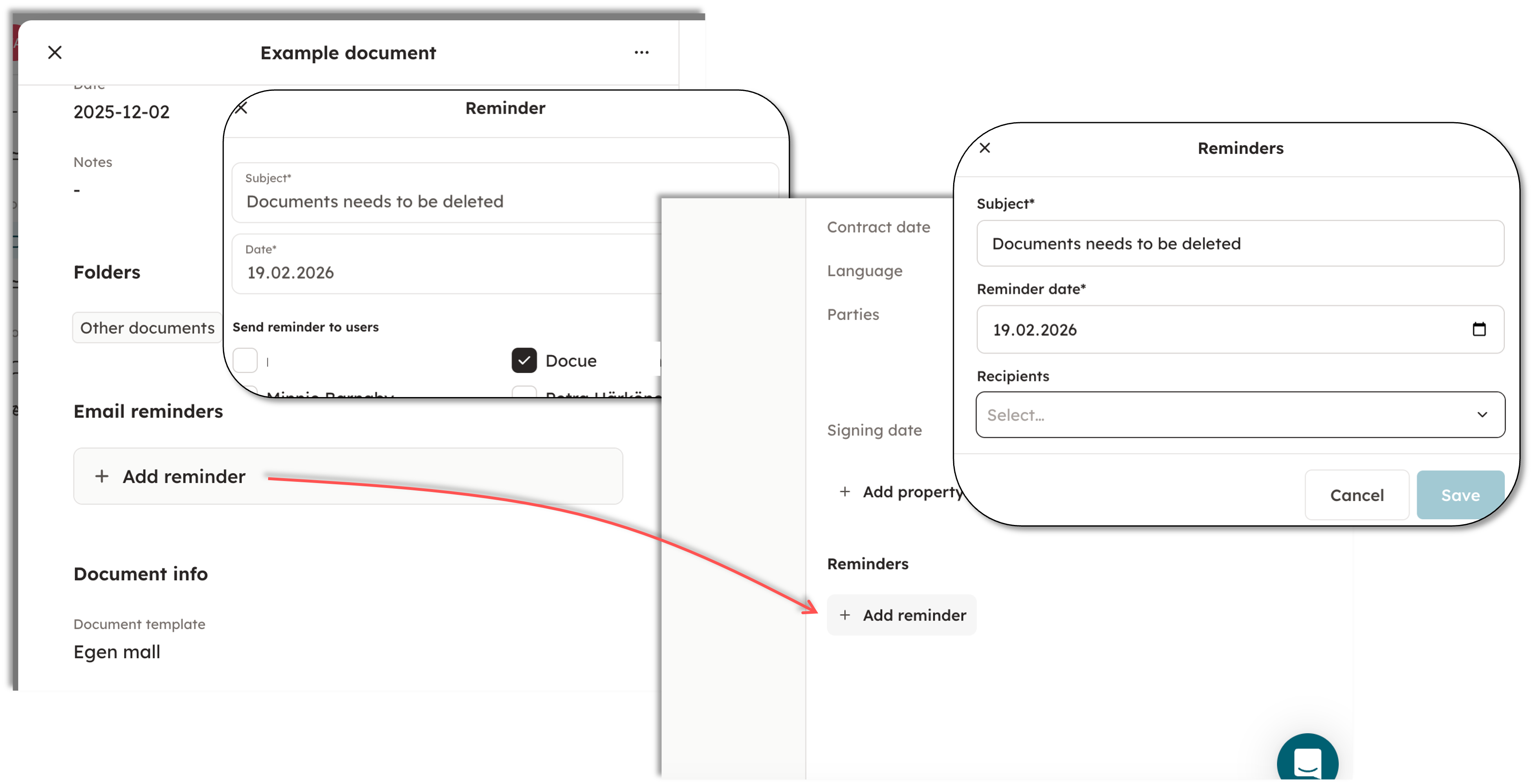
Similar to the legacy archive, you can select the desired recipients for the reminder, set the date, and the document reminder will be sent internally within the service, as well as by email.
User permissions:
In Docue Drive, users are managed only from the "Users" menu behind the settings. This means the "Roles" menu is entirely gone compared to the legacy archive.
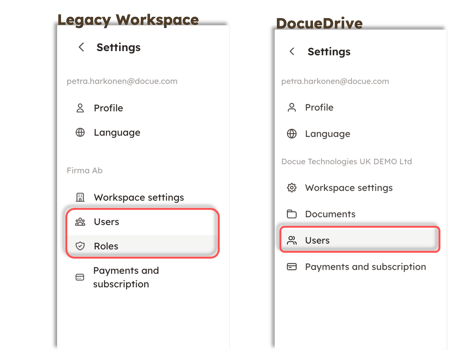
In Docue Drive, users can be assigned permissions on a folder-by-folder basis, meaning you no longer need to define a Role separately and assign it to the user in the Users menu, as was done in the legacy archive.
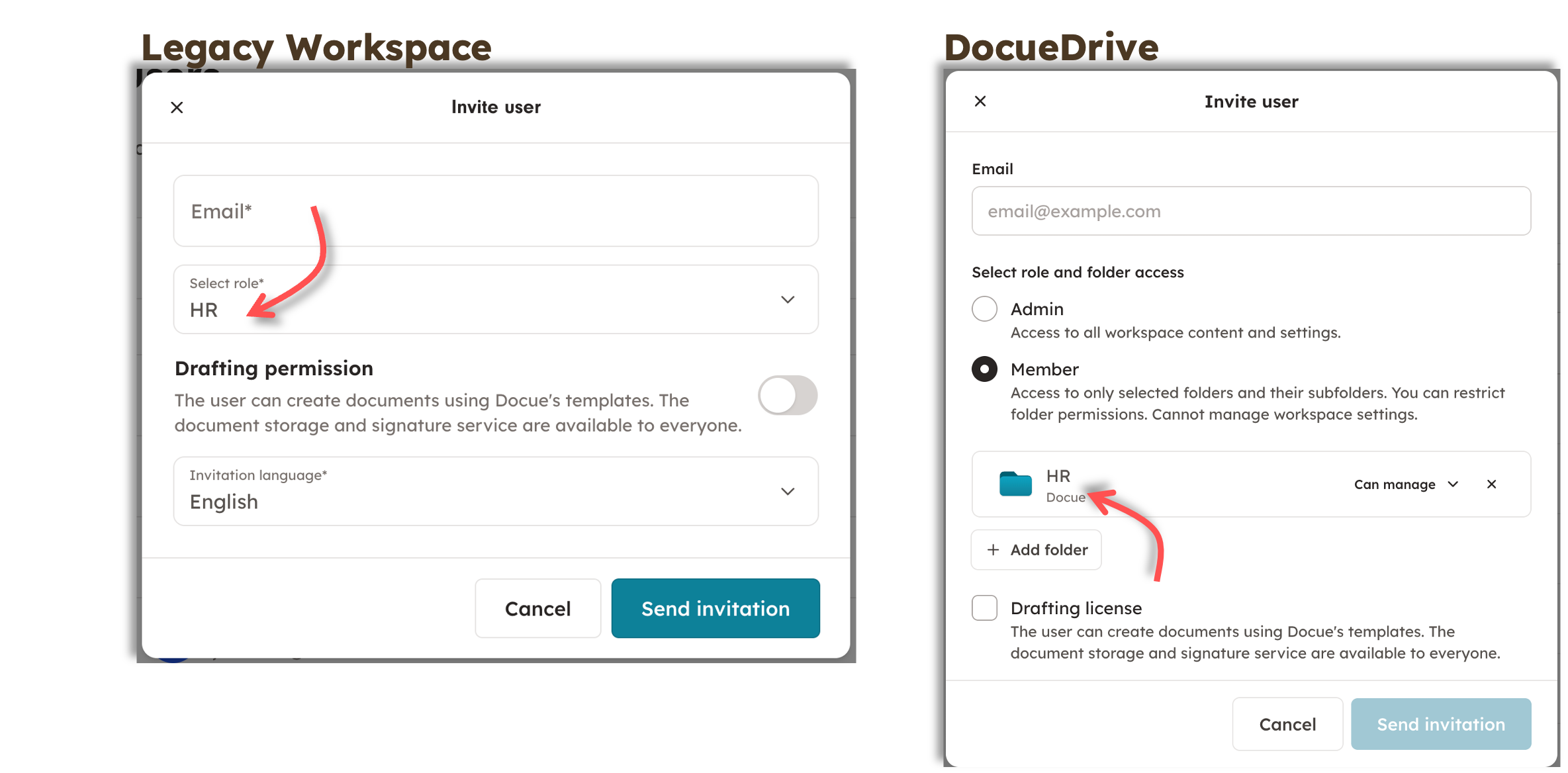
The Administrator (Admin) permission remains the same in Docue Drive as well; Admins can manage the account, subscription, and add other users. However, in Docue Drive, users with just the "Member" permission can also create subfolders within the folders they have access rights to.
Drafting license (or drafting permission) (= the ability to draft documents using the service's templates) remains the same in Docue Drive.
What are the new features of Docue Drive?
Docue Drive has been particularly developed for convenient and dynamic contract management features.
Filters:
In the legacy archive, documents could be filtered based on the document status. Docue Drive introduces several other filters that can be utilized for organizing documents.
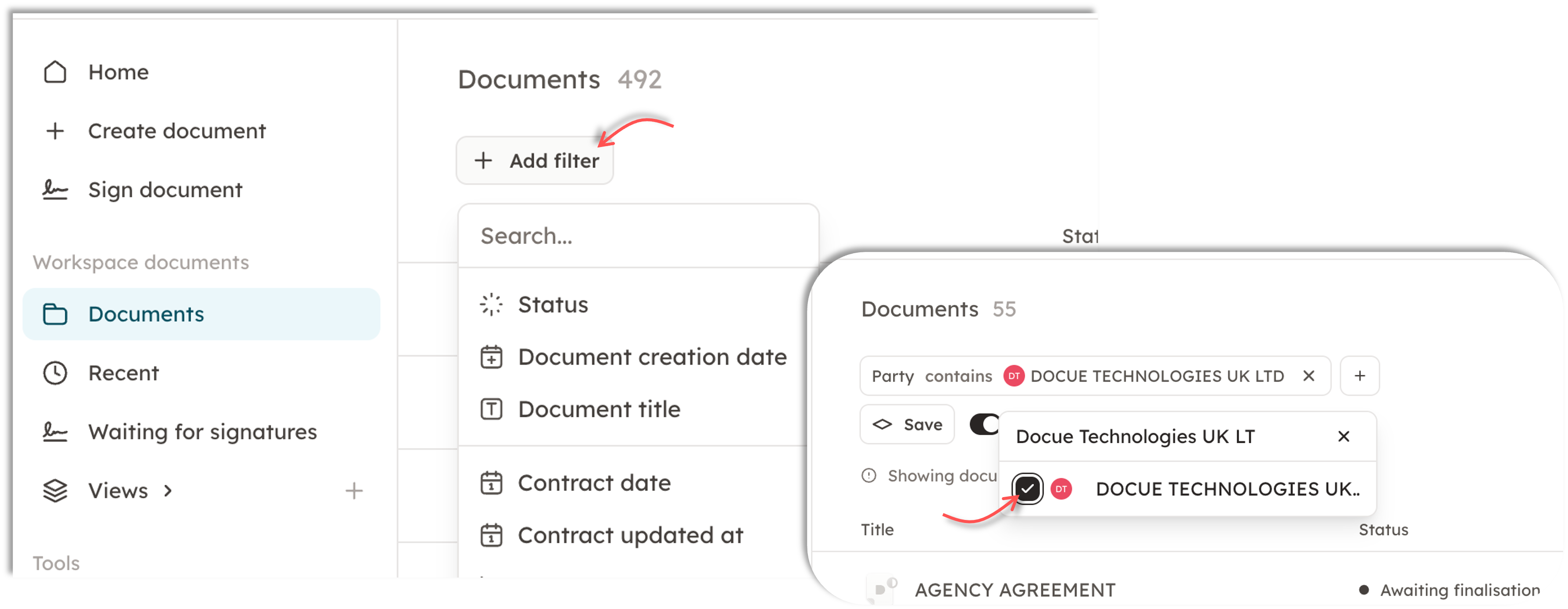
The filters are found in the top bar of the "Documents" section.
You can filter documents based on, for example, the document owner (creator), document parties, signature date, or name.
Multi-selection tool – batch transfer / deletion of documents
In Docue Drive, multiple documents can be selected simultaneously. This allows for batch downloading, transferring, and deleting of documents. This makes reorganizing or rearranging documents into new folders effortless.
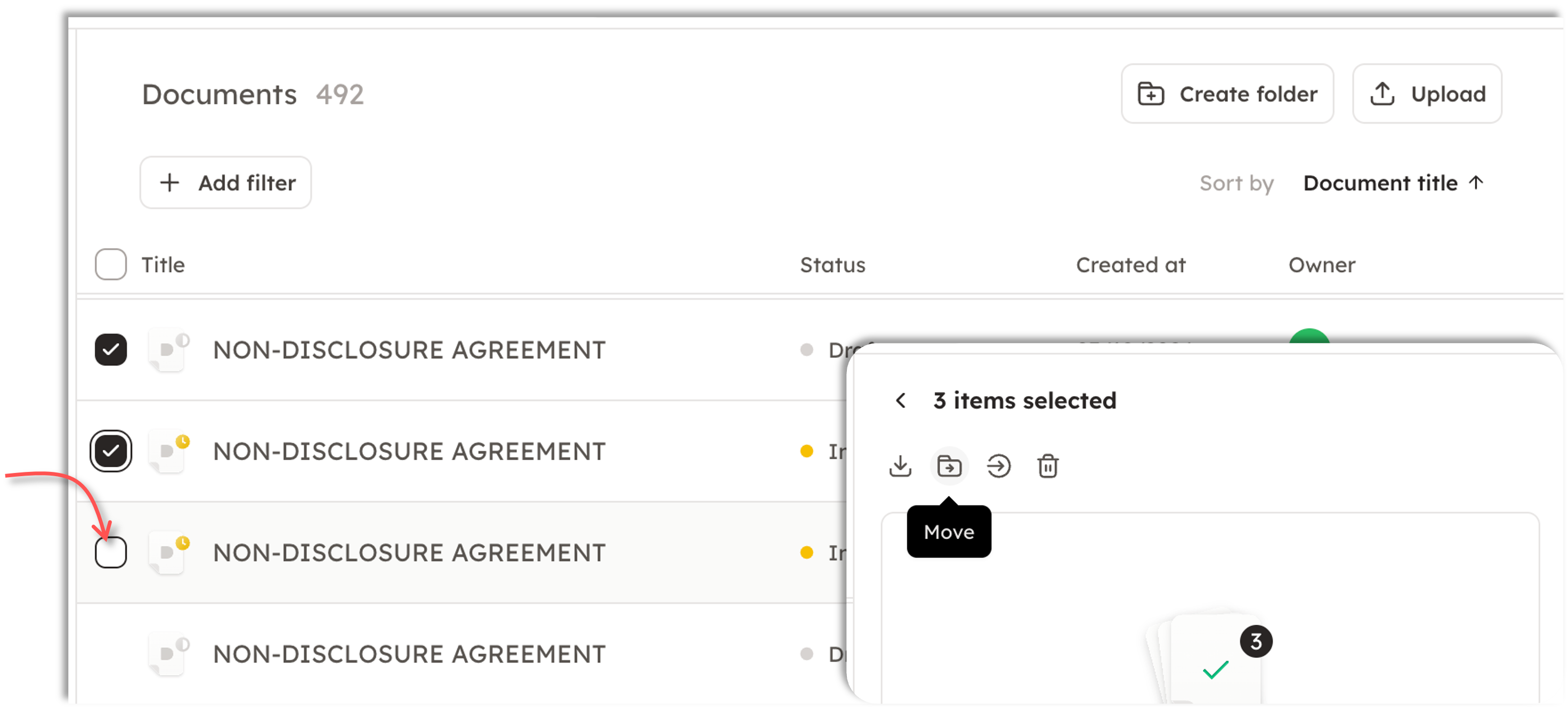
It is also advisable to utilize filters when selecting multiple documents simultaneously.
AI-Assistant to find the right template
In the new Docue Drive, we have an AI-Assistant, which you can use to find the right template. You can find the AI-Assistant at the top-bar of the page.
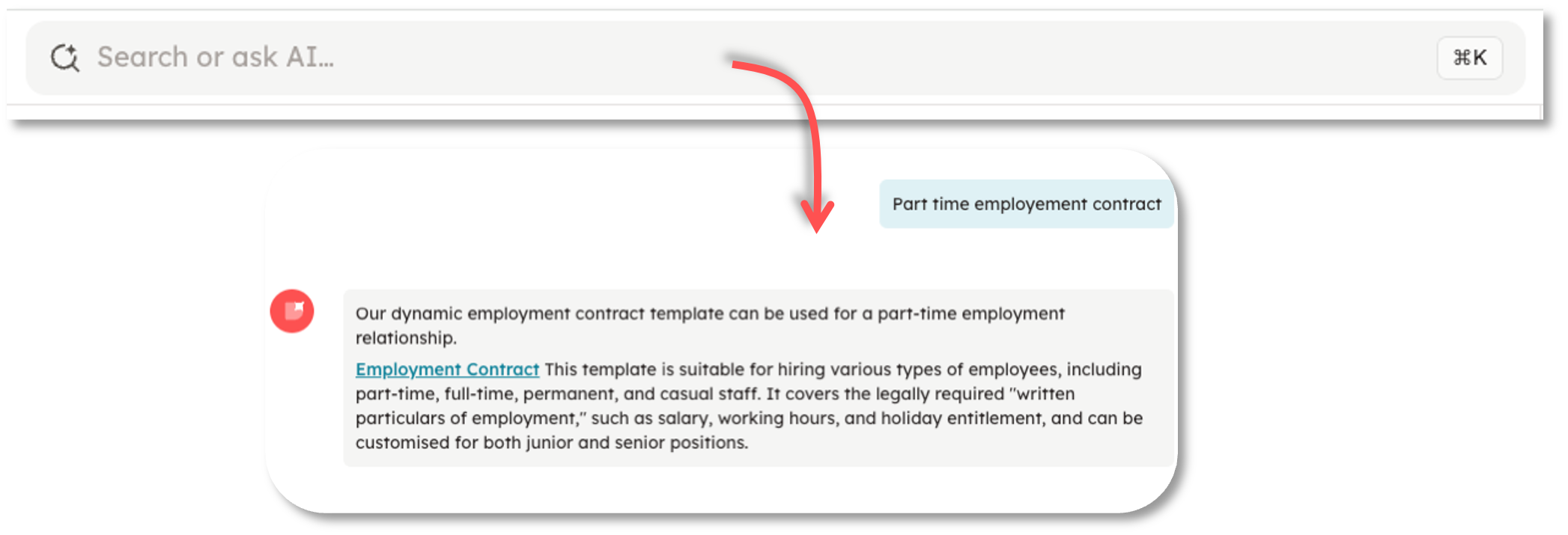
All the answers are provided by AI trained by Docue's lawyers and are based solely on Docue templates. Good to keep in mind that the AI may make mistakes. Your messages will not be used for training purposes.
New home-page
When you open the app, it will automatically open the new home page. From the home page, you are able to quickly find the documents you've started do draft or have sent to be signed.
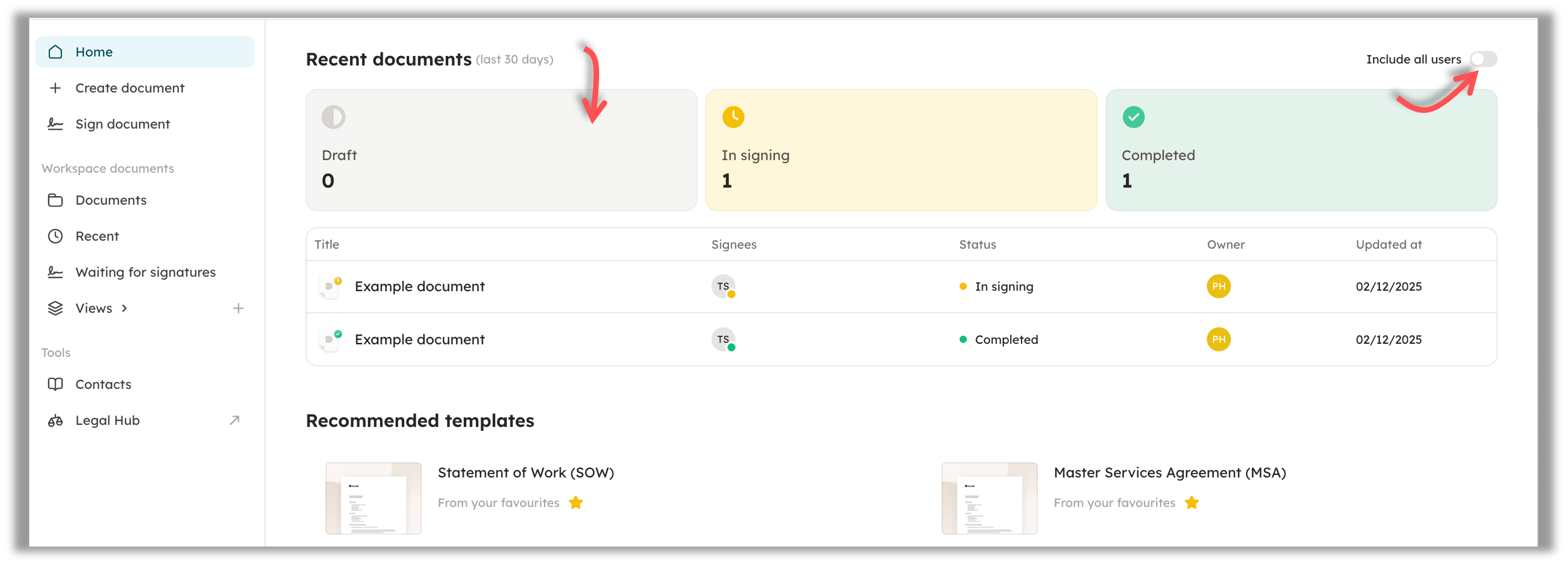
By default, the page shows the documents where you are the owner, but you can change this to show all the documents on the workspace. (Note! You will need to have rights to the needed folders, to see all the documents).
Do you have any questions?If you have any questions regarding the new Docue Drive, we are more than happy to help! Please send us a message using the chat bubble in the bottom right or send us a message to support@docue.com. 😄
Keywords: Docue Drive, archive, new archive, old archive, previous archive, legacy archive, where, folders, folder group, where are my documents, migration, update, change, filters, AI assistant, duplicating document, all documents -view, document type