
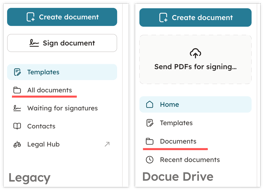
 Note: This article is for our legacy archive.
See "Documents" instead of "All documents" in your sidebar? You're on the new Docue Drive. Head to the Docue Drive guide instead!
To migrate to Docue Drive, contact our support team!
Having multiple people in your workspace helps with document management, since you can keep all your documents systematically managed in Docue and ensure that the right people have access to them.
Need more user licenses? Contact customer support at support@docue.com
Adding more users to your workspace
Workspace admins can invite other users to the service through settings.
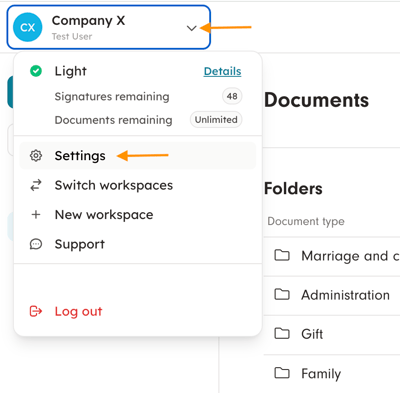
Add users
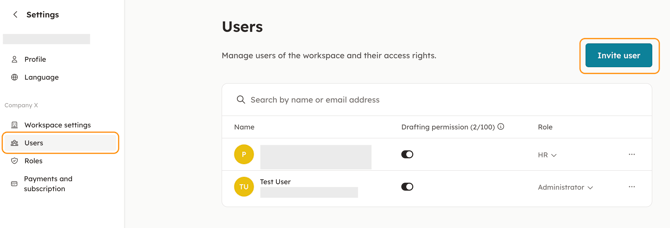
1. In settings, go to "Users" and click "Invite user".
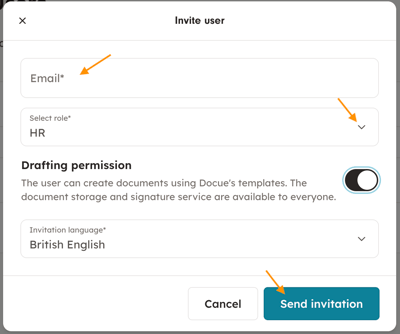
2. Enter the new user's email address and select the user role the user should have. You can also give the user permission to draft documents in the service. Once the permission is selected, press "Send invitation".
When needed, the user role can be changed at a later time and you can define your own user roles any way you like.